// 03 HARDWARE
zeroflip
A Raspberry Pi Zero W with a 2.13-inch e-paper screen, running a kernel I wrote in Rust with no operating system underneath it. It drives the screen, the Wi-Fi and Bluetooth chip, USB keyboards and gamepads straight through their registers, takes messages over RabbitMQ, and updates itself over the air. An iPhone app controls it: a D-pad with a live mirror of the screen, photos dithered on the phone, a drawing pad, and Wi-Fi setup over Bluetooth. Every command, from the app or the network, has to carry a kith token for my identity.
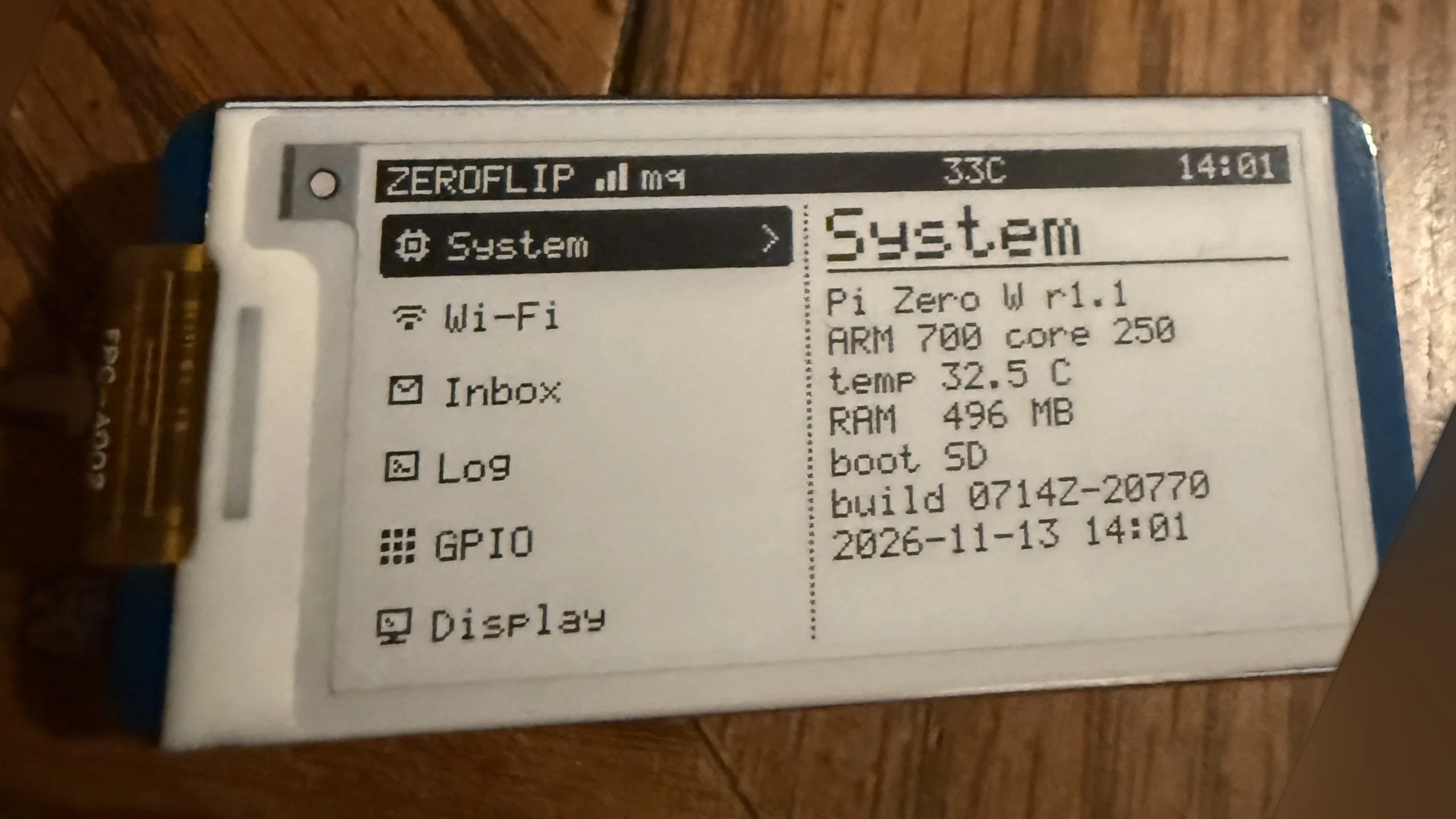 01 On the real board: online, clock set, System page
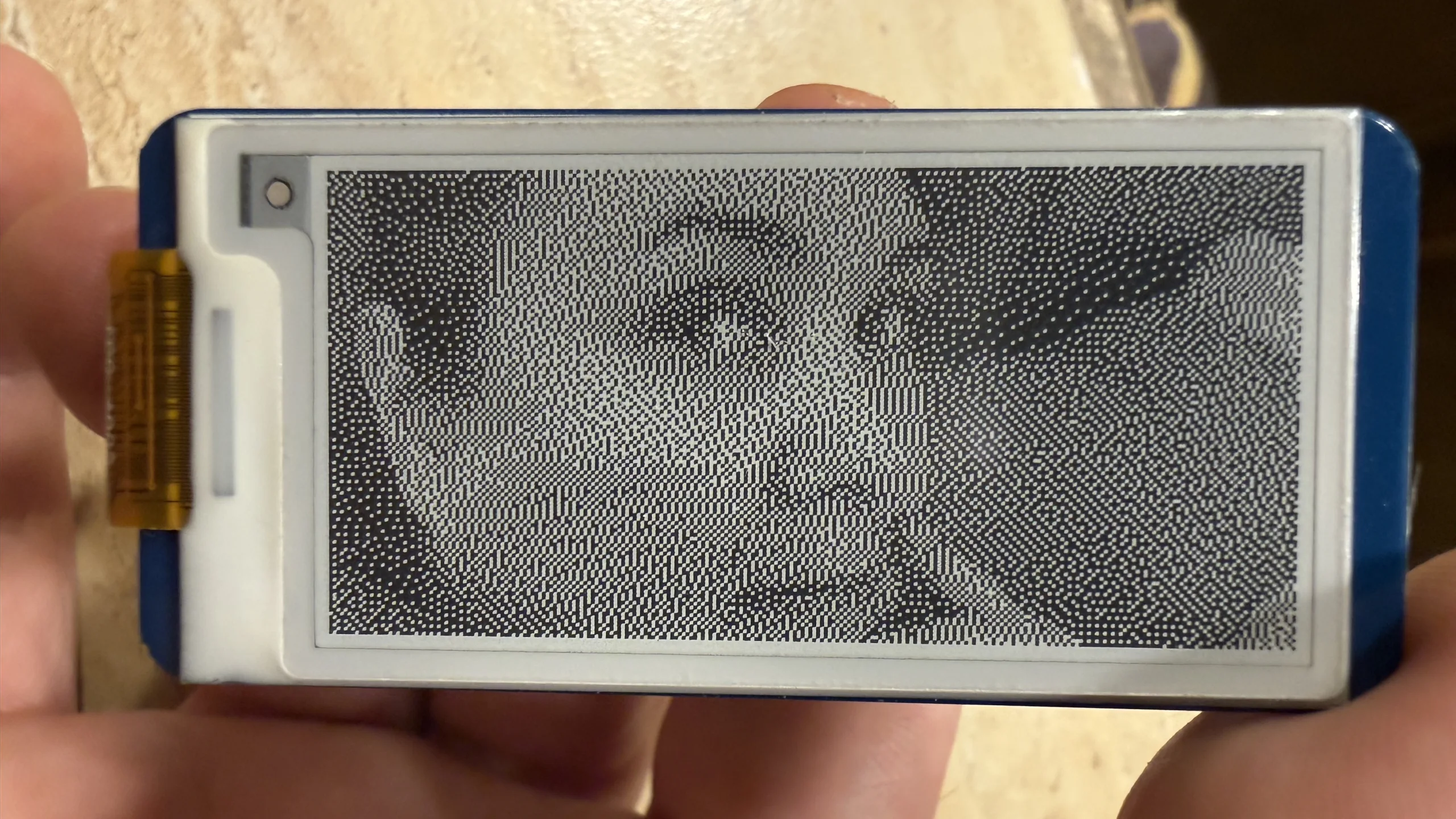 02 A photo from the phone, dithered to 1-bit
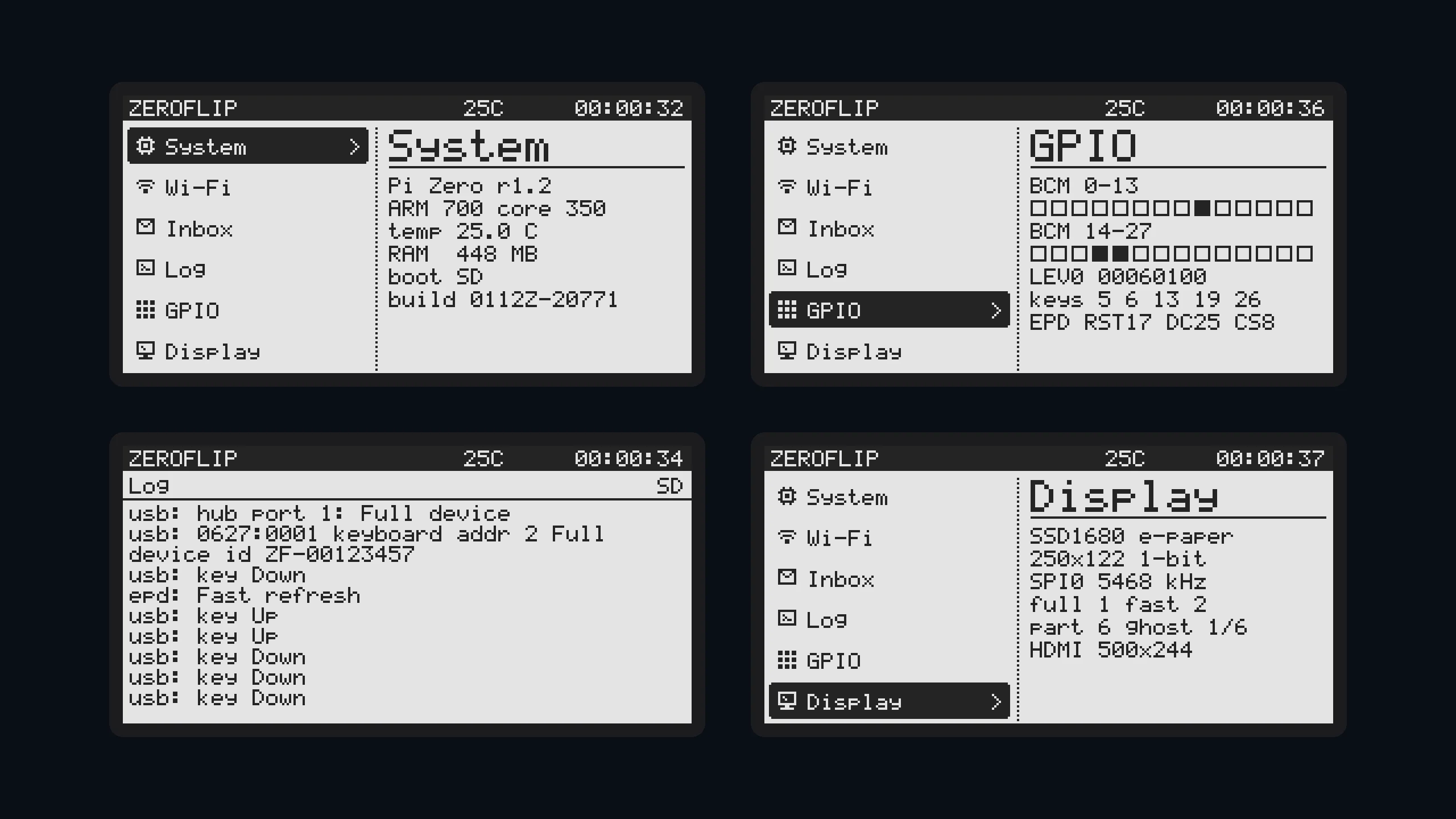 03 The kernel's own screens: System, GPIO, Log, Display
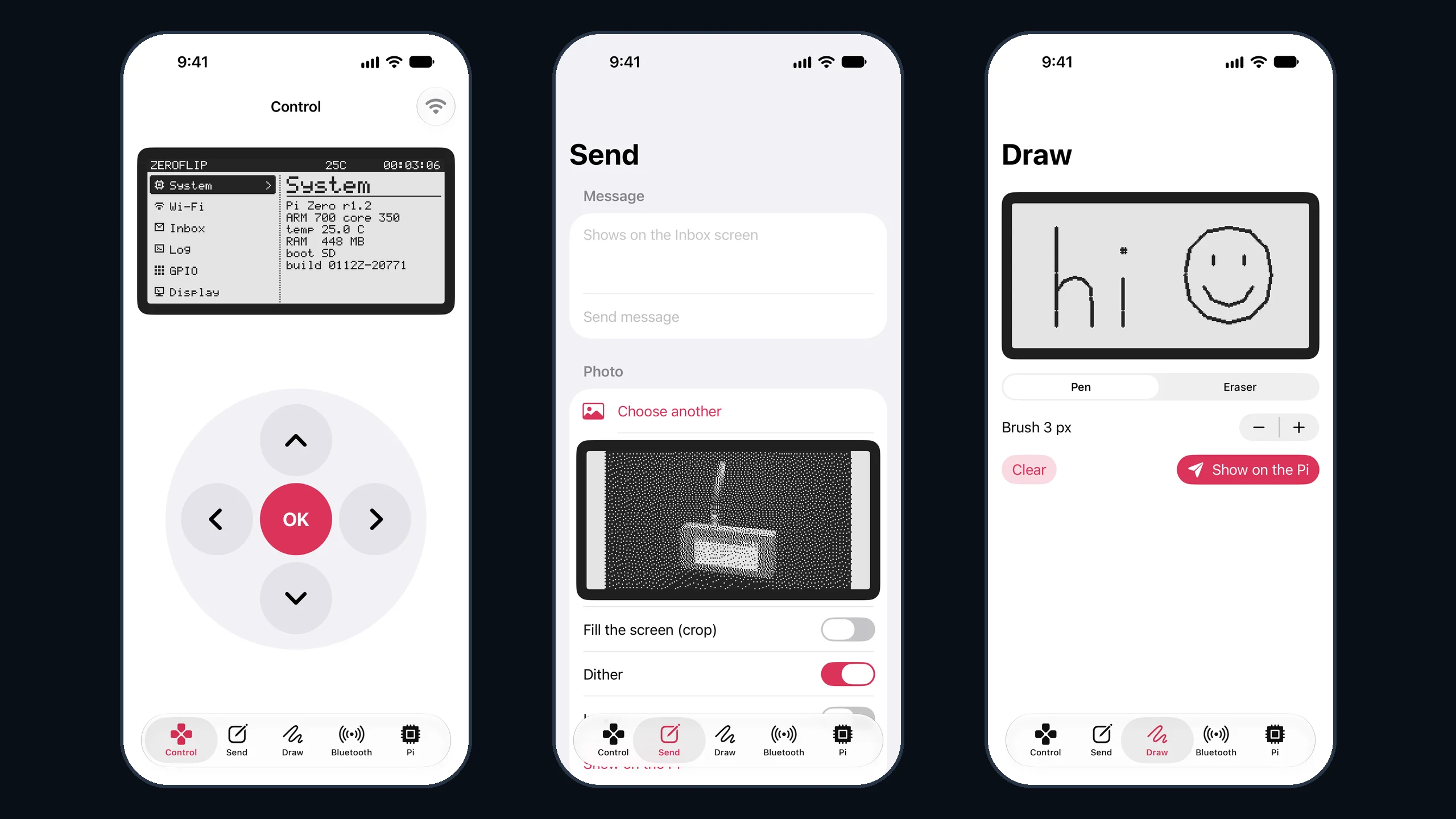 04 The iPhone app: Control, Send, Draw
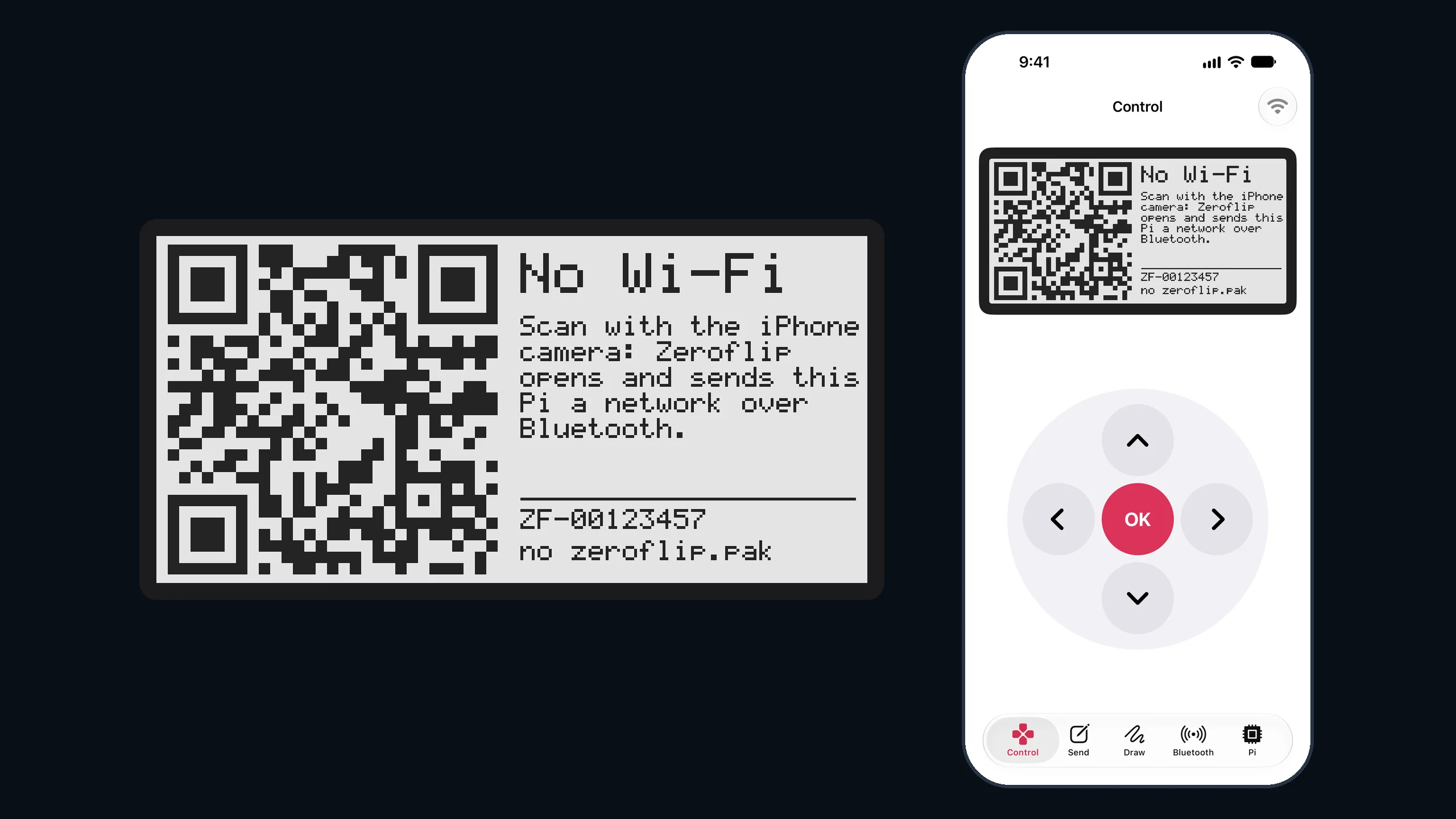 05 No network: the Pi shows a QR code for the phone
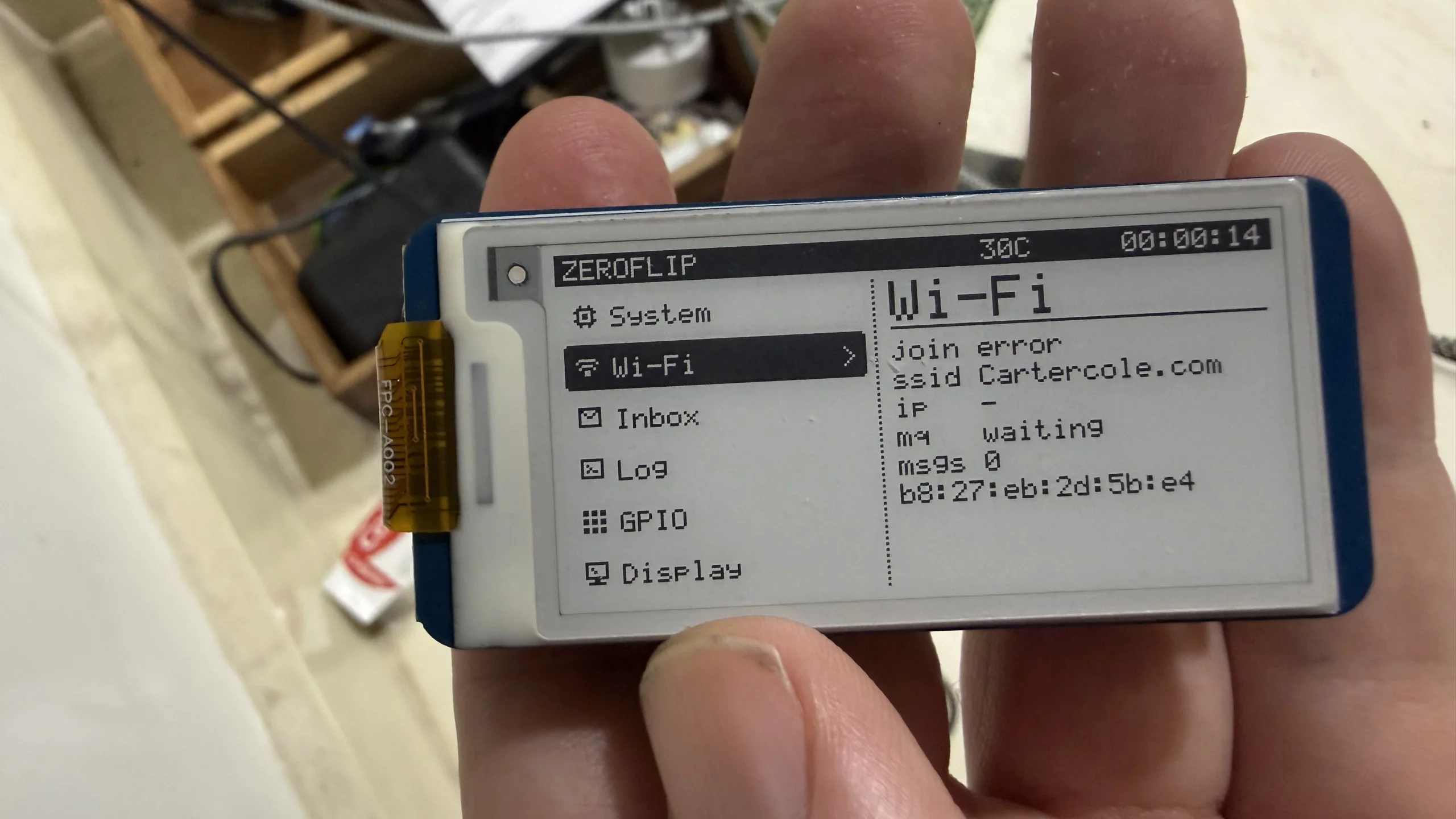 06 Bring-up: the Wi-Fi page after a failed join
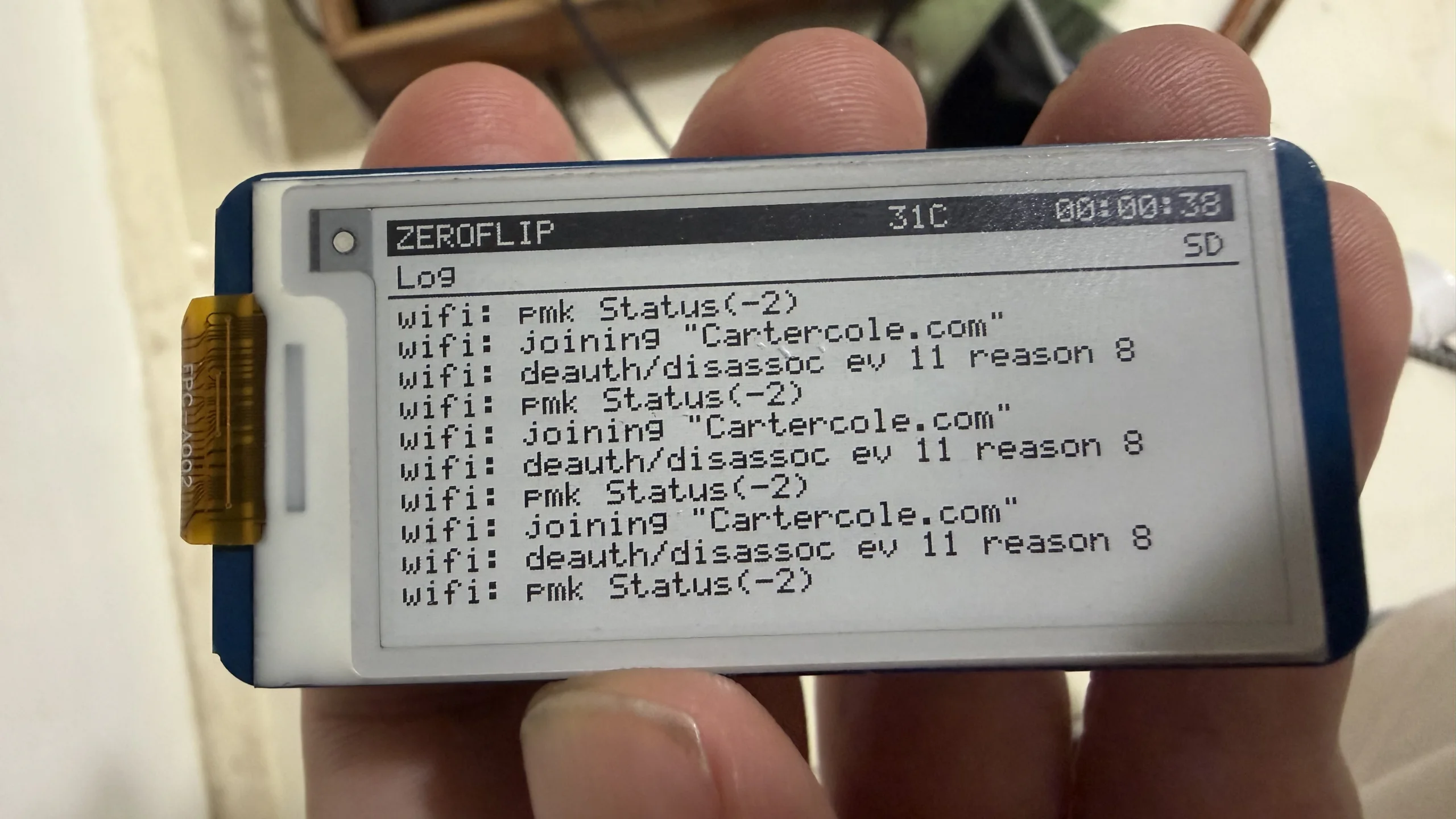 07 Bring-up: the log through a run of failed joins
What the kernel drives
The firmware jumps to the kernel at 0x8000 and it runs from there in kernel mode, about 8,500 lines of Rust.
- Screen: the SSD1680 e-paper over SPI, with partial updates, a fast full refresh when the ghosting budget runs out, and a normal one every two hours. The same picture is mirrored to HDMI through the GPU's framebuffer.
- Wi-Fi: the CYW43438 over SDIO, whose own firmware does the WPA2 handshake, then smoltcp for DHCP, DNS, SNTP and TCP. It answers mDNS as
zeroflip.local. - Bluetooth: the same chip's other half over HCI on a UART, with Broadcom's patch built in: LE scans, classic inquiry, and a control channel for when there is no Wi-Fi.
- USB: a DWC2 host with hubs, split transactions, boot keyboards and HID gamepads.
- Messages: AMQP 0-9-1 to a RabbitMQ server at home. Text goes to the Inbox screen, 1-bit pictures go full-screen, and remote key presses and RPC calls come back with answers: status, log, a picture of the screen, a Bluetooth scan.
The iPhone app
A SwiftUI app with five tabs. Control is a D-pad under a live copy of the e-paper. Send puts a message on the Inbox screen, or turns a photo into a dithered 250 × 122 picture on the phone before it goes. Draw is a pad the shape of the screen. Bluetooth has the Pi scan the room. Pi shows its status and log, sets its Wi-Fi network and the lost-and-found owner, and puts it to sleep or turns it off.
At home it talks HTTP to zeroflip.local. For away from home there is a gateway for AWS Lambda that checks the same token and passes the command to the Pi as RabbitMQ RPC, over Tailscale, so nothing at home is open to the internet. When the Pi has no network for 45 seconds its screen shows a QR code; the iPhone camera opens the app, which sends it a network over Bluetooth. The phone works out the WPA2 key itself, so the password never reaches the Pi.
Signing in, with no clock
The app signs in to my kith hub with a passkey, and the Pi checks every token's signature, issuer, audience, subject and expiry. The Pi has no clock, though, and gets the time over NTP. Away from its Wi-Fi it checks a Bluetooth token at the moment it was issued and sets its clock from it, only ever forward. For when nothing else works there is a recovery key: an Ed25519 key pinned on the card, whose private half stays in the Mac's keychain, answering a one-time challenge from the Pi's hardware random number generator.
Updates and sleep
A new kernel arrives as a RabbitMQ message with a single-use token. The running kernel writes it into the spare of two 4 MB slots on the SD card, reads it back, and jumps into it in memory. The new kernel only switches the boot slot after staying connected for 30 seconds, so a bad one never sticks: power it off and the old one boots.
Fifteen minutes after the screen goes blank, a lost-and-found tag with the device id and its owner goes up and the panel sleeps. A key or a message wakes it. Holding OK for three seconds shows the tag and halts, and e-paper keeps the tag with no power at all.
The pictures
The photos are the board itself: on the table once it was online with its clock set, showing a photo sent from the phone, and earlier, during bring-up, failing to join the network over and over. The flat screens are the same kernel booted in QEMU's Pi Zero model with its HDMI output captured. The app is in the iOS simulator, driving that QEMU kernel through a small bridge that turns the app's HTTP calls into QEMU key presses and screen captures. QEMU has no Wi-Fi chip, which is why its setup screen says there is no network.